Twitch
Start here to watch the live stream action and see what NRx Gaming is all about.
NRx Gaming is an inclusive community initiative from Neighborhood LTC Pharmacy, created in proud partnership with our friends at Easterseals Gaming.
Through welcoming virtual gaming events and movie nights, NRx Gaming brings together individuals with disabilities, caregivers, direct support professionals, family members, employee-owners, and gaming enthusiasts from across our communities.
The goal is simple: to create more opportunities for people to connect, build friendships, share experiences, and have fun together.
No gaming experience is required. All gamers and advocates over the age of 16 are welcome.
NRx Gaming is about creating a positive and accessible space where people can participate, meet others, and know that they belong. Our events are designed to welcome both experienced gamers and people who are completely new to online gaming.
The focus is always on community, not competition.
Whether you join to play, watch, cheer on others, or simply spend time with the community, there is a place for you at every NRx Gaming event.
Enjoy a variety of all-ages, engaging games with clear instructions and flexible ways to participate.
Follow the live event to learn how the featured game works, enjoy the action, and take part without needing to play.
Build new relationships with welcoming friends and gaming enthusiasts from across our communities.
Engage with hosts and fellow participants through game activities, and live chats throughout the event.
Be part of an accessible community where everyone is valued and encouraged to join in their own way.
Celebrate friends, teammates, and new connections as they play, participate, and enjoy the experience together.
NRx Gaming events are hosted by our partners at Easterseals and ES Gaming.
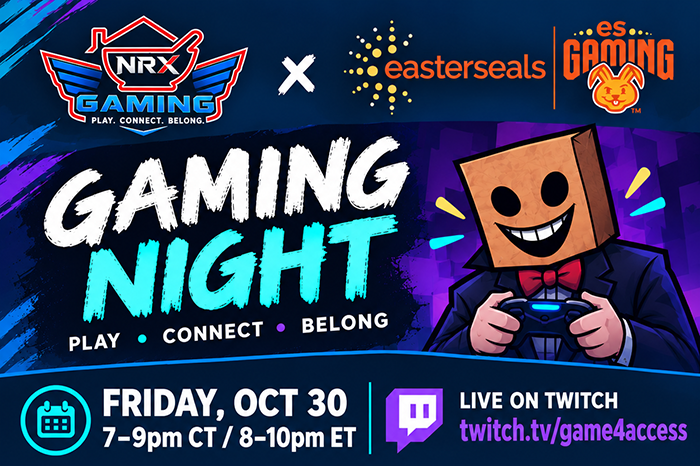
New to online gaming? We're so glad you're here! NRx Gaming events are created to be welcoming and engaging spaces for gamers of all levels. You do not need gaming experience or special gaming equipment to enjoy an NRx Gaming event. Follow the steps below to watch the livestream and connect with the community.
Note: At minimum, you will need:
A gaming console, gaming computer, controller, camera, and microphone are not required to watch the event. If a particular game requires anything additional to participate, we will include that information in the event details.
Our live events are streamed on Twitch. Visit ES Gaming on Twitch and click Sign Up in the upper right corner to create a free account.
Follow the prompts to choose a username, create a password, enter your information, and verify your account. Twitch also offers sign-up options using an eligible Google, Apple, or Amazon account.
You can watch a public Twitch stream without being signed in, but creating an account allows you to follow the channel and use available community features.
Once you reach the ES Gaming channel page, select the Follow button. Following the channel makes it easier to find future streams and receive notifications when an event begins.
You may also be able to turn on notifications so Twitch can let you know when the channel goes live.
Discord gives community members another place to chat, ask questions, receive updates, and connect during or between events.
Click ES Gaming's Join Our Discord link and accept the invitation to the ES Gaming community. If you do not already have an account, Discord will guide you through creating one.
You can use the Discord app on a phone, tablet, or computer. On a desktop or laptop, you can also use Discord through a supported web browser without downloading the app.
Joining Discord is completely optional. You can still enjoy the full livestream through Twitch without using it.
If you chose to join Discord, take a few minutes to get familiar with the NRx Gaming community before the event:
During the event, you can use Discord to say hello, ask questions, react to the game, and connect with others. Participating in the chat is always optional—you are also welcome to read along quietly.
On the night of the event, return to the Twitch channel shortly before the scheduled start time. When the stream begins:
You are welcome to simply watch. There is no pressure to chat, speak, appear on camera, or participate in the game.
Each NRx Gaming event may work a little differently. Before the event, review the event page or announcement for:
If audience participation is available, we will explain exactly what to do. You can always choose to watch instead.